Author Archive

Sandbox Etiquette

What is the MakerHub Sandbox?

The Sandbox is a special Admin sub-category which is used for testing and experimentation. Generally speaking, the Sandbox shouldn’t be used for articles intended for publication as any article (and post for that matter) may be saved as an unpublished draft while in-progress.

When should I use the Sandbox?

Generally speaking, you probably won’t need to. However, if you’re learning how to implement new Shortcodes or want to test the comment system without adding comments to actual articles, this is the place to go. Super administrators may also use the sandbox to test upcoming functionality.

Sandbox Etiquette

Just as when playing in any sandbox, keep your hands to yourself and clean up when you’re done. That said, if you make something you feel proud of or which you want to refer back to as reference, you may leave it published and others will respect your work. And of course, keep it professional.

Resource Center Categories and Tags

What’s the difference?

The Resource Center has two means of categorization: categories and tags. Categories provide a formal, hierarchical organizational structure to Resource Center articles, while tags show informal relationships between articles. For instance, an article describing how to create stickers might formally be categorized under the Vinyl Cutter category, but may also be informally tagged as a “How To” guide.

How many can I use?

As a rule of thumb, articles should be organized under only one or two categories, but may have several tags. How many tags are too many tags? If you find yourself wondering, you should probably stop adding tags.

Creating new categories and tags

Categories are managed by Editors. If you find a need for a new category, submit the category request using the MakerHub Improvement Form.

Tags, however, may be created on the fly. Please use existing tags before creating new tags to avoid near duplicates (e.g. “How To” and “How To’s”)

Reminder: attempt to use existing tags before creating new tags

Editors: To set a category icon, use the Category Icon field when creating or editing a category. Refer to this article to learn more about using icons.

Learning The Pen Tool: Pen Tool Games

Ah, the Pen Tool

The Pen Tool, or bezier curve tool, is arguably one of Illustrator’s most useful and versatile tools, though also one of the trickiest to master. If you want to take your Illustrator skills to the next level, the Pen Tool will be a critical one to learn.

Luckily for you, here are some games to help you practice:

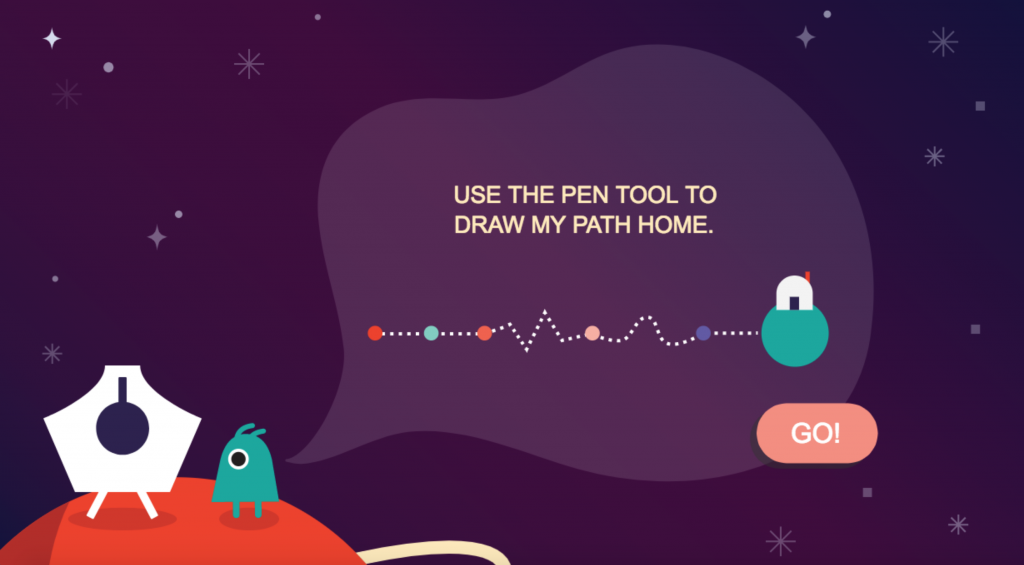
Adobe’s Pen Tool Game

Adobe's Pen Tool Game
Adobe’s Pen Tool Game

Adobe’s Pen Tool Game is my top choice for learning how to use the Pen Tool. It’s quick, fun, and stars an adorable alien.

Note however that Adobe’s Pen Tool game can be a little finicky – if you’re stuck on a loading screen, try holding the Shift key on your keyboard then clicking the page reload button, or typing Ctrl+Shift+R on the keyboard. That should clear the browser cache and get it working again.

The Bezier Game

The Bezier Game
The Bezier Game

The Bezier Game is another great resource for learning the Pen Tool, in which you’re challenged to recreate some iconic silhouettes. This sort of practical application is a great follow up to Adobe’s Pen Tool game from above.

Find some other Pen Tool games we missed? Add them in the comments below!

Change Log: Site Updates

This change log will list updates to the MakerHub platform, such as added features or changes in the site’s status.

6/15/18
Added Sign In link to main menu

6/13/18
MakerHub soft-launch
Site goes live, but not publicized to search engines

Coming Mid 2018

The Possible Project MakerHub will be an online makerspace resource center to support TPP’s students and staff, though available to the greater public as well. We will be gradually building out this site over summer 2018 and ongoing improvements will be implemented thereafter.